 Gummy Mob
How to delete game data on Android
Inside the game, in Android settings, or by uninstalling: what each way removes and when to use it.
In this guide
There are three ways to delete a game's data on Android: use the game's own delete or reset button, clear the app's storage in Android Settings, or uninstall the game. Clearing the cache alone does not remove progress. If the game saves to an online account or cloud save, the copy on the server may need a separate deletion request.
Maybe a sibling wants a fresh start, maybe you are passing a tablet on to someone else, or maybe you simply want to know what a game keeps. Whatever the reason, it helps to know how to delete game data on Android properly, and what each method actually touches.
This guide walks through the three methods in order, from gentlest to most complete. We use our own game, Gummy Mob, as the worked example, because we know exactly where its data lives. The Android steps work for almost any game.
First, find out where the game keeps its data
Before you wipe anything, spend one minute on this question: is the progress stored only on the phone, or also on a server?
- Only on the device. Many small offline games save your level, coins and settings in the app's own storage on the phone. Wipe that storage and the progress is gone for good.
- On an account or cloud save. Games with a sign-in, a player profile or a "sync" option often keep a copy online. Clearing the phone may not remove it, and the next sign-in can bring the old progress straight back.
The game's privacy policy usually answers this in a sentence or two. Look for words like "account", "server", "cloud" or "stored on your device".
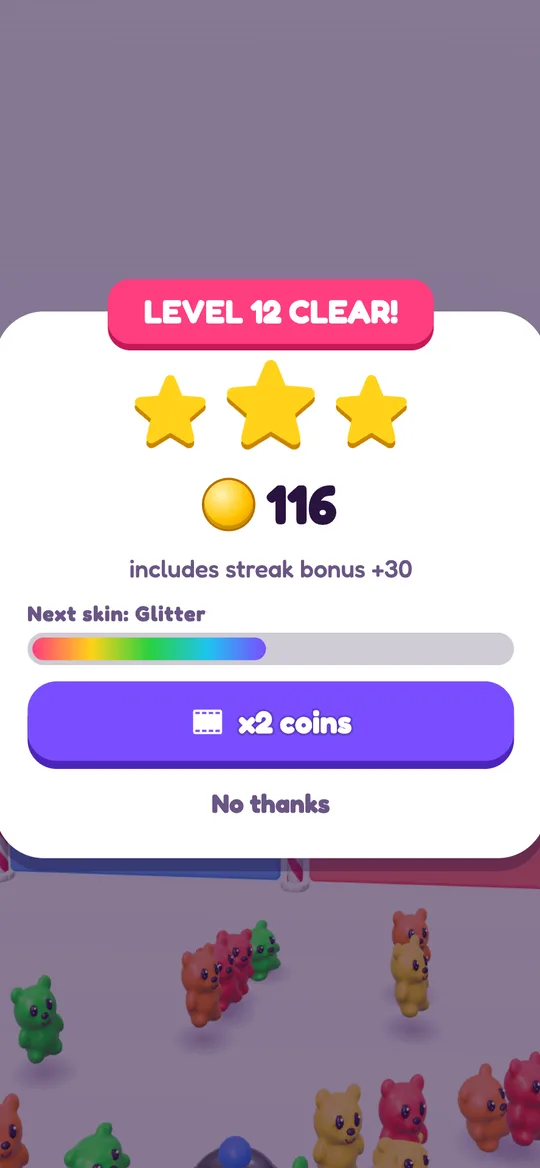
Gummy Mob is the simple case. It has no accounts and no server for game progress: your level, coins, skins, upgrades, settings and the birth year from the age question are saved only on the device. Our privacy policy and the delete your data page say the same.
Method 1: Use the game's own delete button
If the game offers a built-in reset, this is the cleanest option.
In Gummy Mob, the steps are:
- Open Gummy Mob and wait for the home screen.
- Tap the gear button in the top right corner to open Settings.
- Tap Delete my data.
- Answer the Ask a grown-up question, a short multiplication sum with four answers to pick from. Tap Cancel if you change your mind.
- The game wipes everything it saved and restarts from the very beginning.

The grown-up question is there on purpose. Every player sees it before deleting data or opening a link that leaves the game, so a small child tapping around cannot erase a big sibling's progress by accident. If the answer is wrong, the game shows "Not quite" and nothing is deleted.
After the wipe, the game behaves as if it was installed a moment ago. The first screen you see is the age question again.
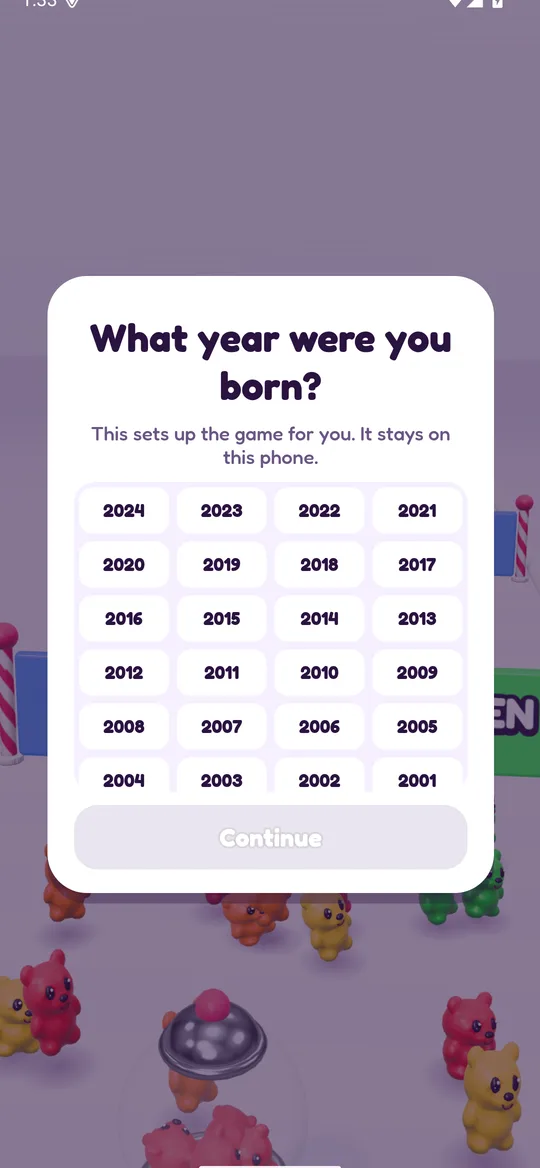
Answer it for the person who will play. The age sets up the right kind of ads: players under 13 only get child-directed, non-personalised ads. Our guide to what child-directed ads are explains what that setting changes.
Method 2: Clear storage in Android Settings
Not every game has a delete button, and sometimes a game will not open at all. In that case, Android can wipe the app's data for you. Menu names differ a little between phone brands and Android versions, so look for the nearest wording if a label does not match.
- Open the Settings app on the phone or tablet.
- Tap Apps (on some phones it is Apps & notifications or Application manager).
- Find the game in the list and tap it. You may need to tap See all apps first.
- Tap Storage or Storage & cache.
- Tap Clear storage (sometimes called Clear data), then confirm.
That removes everything the app saved on the device: progress, settings and anything else in its private storage. The game stays installed. It opens like a fresh install.
Clear cache versus clear storage. The same screen has a Clear cache button. It is safe to press because it only removes temporary files, but it will not reset progress. If the level and coins are still there afterwards, that is why.
For Gummy Mob, clearing storage in Android Settings has the same effect as Delete my data, because all of its progress lives in that storage. It skips the grown-up question, though, since Android itself is doing the wiping.
Method 3: Uninstall the game
Uninstalling removes the app and its on-device data in one go. For a game that saves only to the phone, like Gummy Mob, that deletes everything. Reinstalling later gives a completely fresh start.
- Press and hold the game's icon on the home screen or in the app drawer.
- Tap Uninstall (or drag the icon to Uninstall at the top of the screen).
- Confirm.
You can also uninstall from the Google Play Store: open the game's page and tap Uninstall.
One thing to know: some games that use an online account or a cloud save will restore progress after you reinstall and sign in. If you want that gone too, see the next section.
What device settings do not delete
Wiping a game on the phone handles what is stored on the phone. Two things can sit elsewhere:
- Online accounts and cloud saves. If a game has its own account or syncs progress, the copy on the developer's server stays until you ask for it to be removed. Look in the game's settings for an account deletion option, or use the contact address in its privacy policy. Gummy Mob has no accounts, so there is nothing on our servers to delete.
- Ad data. Games with ads use an ad network, and that network handles its own data. On Android you can reset or delete the advertising ID in your device's Google settings. In Gummy Mob, players 13 and over can also change ad consent under Settings, Ad privacy choices. Our guide on how ads work in free kids games covers the different ad types.
Before you delete: a quick checklist
Deleting progress cannot be undone when the game keeps no other copy. Run through this first:
- Ask the player. A fresh start is fun for one child and upsetting for another. Make sure the person whose progress it is agrees.
- Pick the right method. In-game delete for a tidy reset, Clear storage when there is no button or the game will not open, uninstall when you do not want the game on the device at all.
- Check for an account. If the game has a sign-in, decide whether to keep or delete the online copy too.
- Do not reach for the cache to reset. Clear cache frees space; it does not wipe progress.
If you are checking a game more broadly before a child plays it, our is Gummy Mob safe for kids guide shows the things we would look at in any game, and turning off in-app purchases on Android covers the Play Store side.
FAQ
Does clearing the cache delete game progress on Android?
No. The cache only holds temporary files the app can rebuild. To reset progress you need Clear storage (or Clear data), the game's own delete button, or an uninstall.
Will uninstalling a game delete my progress?
For a game that saves only on the device, yes, uninstalling deletes the progress. Games that sync to an online account or cloud save may bring the progress back when you reinstall and sign in again.
How do I delete my data in Gummy Mob?
Tap the gear on the home screen to open Settings, tap Delete my data and answer the grown-up question. The game wipes everything it saved and restarts at the age question. Uninstalling the app also deletes all of its data.
Why does Gummy Mob ask a maths question before deleting data?
It is a parental gate. Every player sees a short multiplication question before deleting data or opening a link that leaves the game, so a young child cannot wipe progress or leave the app by accident.
Does Gummy Mob keep a copy of my progress online?
No. Gummy Mob has no accounts and keeps your level, coins, skins and settings only on your device, so there is nothing on our servers to delete. Ad data is handled by Google.
Can I get deleted game progress back?
Only if a copy exists somewhere else, such as an online account or cloud save. When a game saves only on the device, like Gummy Mob, deleted progress cannot be recovered.