 Gummy Mob
One-hand casual games you can play on a phone
A bag in one hand, a rail on the bus, a sleeping baby on your arm. Here is how to tell whether a game really works with a single thumb.
In this guide
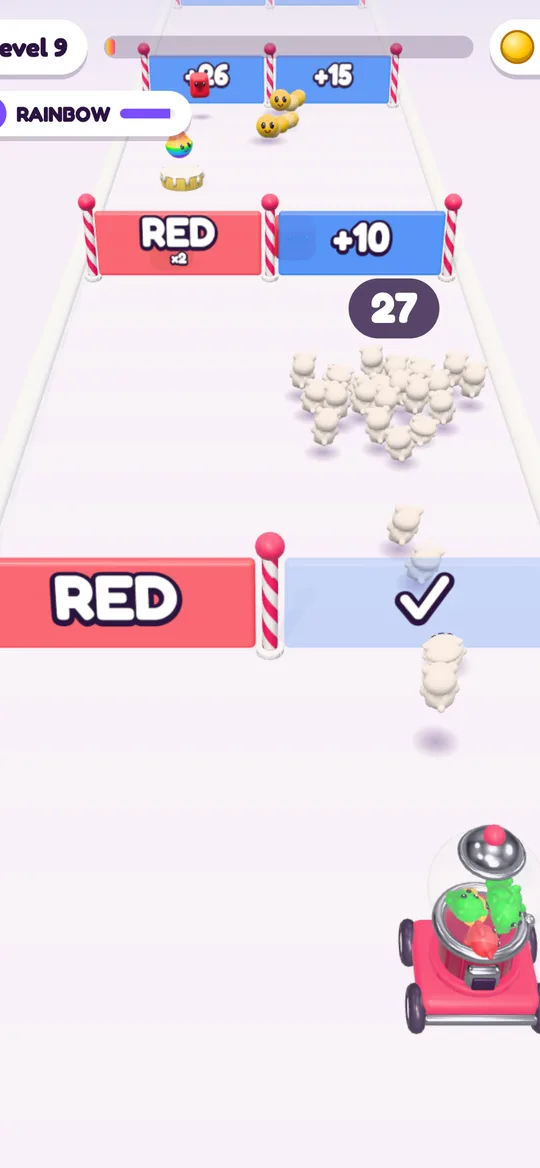
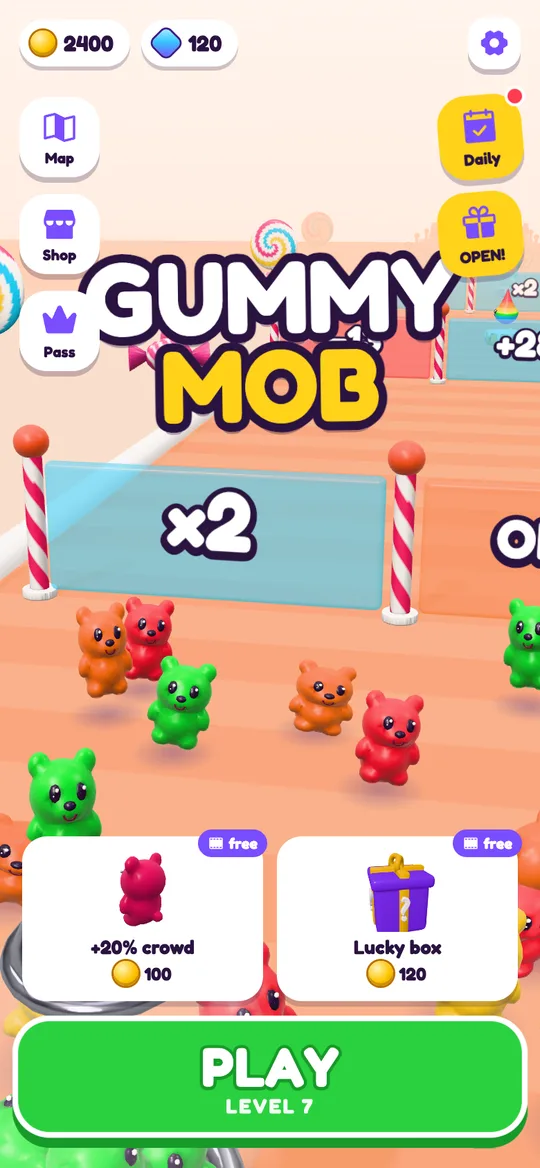
A good one-hand casual game runs in portrait mode, uses a single input such as tap, hold or drag, lets your thumb work anywhere on the screen instead of on small fixed buttons, and pauses cleanly when you need your hand back. Crowd runners fit this well. In Gummy Mob you hold anywhere to fire gummy bears and drag sideways to steer, so the whole level is played with one thumb.
Plenty of phone time happens with only one hand free. You are holding a shopping bag, a rail on the bus, a coffee or a child. A game that needs two thumbs, a tilt of the phone or a turn into landscape is no use in those moments.
One-hand casual games solve that, but a game is not one-handed just because its icon looks simple. This guide explains what actually makes a game comfortable with one thumb, gives you five tests to run in a minute, and shows how our own crowd runner, Gummy Mob, handles it. If you are new to the genre, read what a crowd runner game is first.
What makes a game work with one thumb
Your thumb can reach only part of a phone screen while the same hand holds the phone. Most people can reach the bottom half and the middle comfortably, and the top corners only with a stretch. A game that respects this has a few things in common.
It stays upright. Portrait mode means you hold the phone the way you already do. Landscape games almost always need both hands to grip the phone.
It uses one kind of input. Tap, hold, swipe or drag. When a game mixes a joystick on one side with buttons on the other, it was built for two thumbs.
The input works anywhere. The best one-hand games let you touch wherever your thumb already rests. A small button in the top corner is a stretch, and a stretch on a moving bus is a dropped phone.
It forgives slow reactions. One-handed play is a little slower and less precise. Games that give you a moment to read what is coming feel fair; games that punish a half-second delay do not.
It stops cleanly. When the bus brakes, you need your hand back now. A quick pause, or a level short enough to finish, matters as much as the controls.
Five tests to try before you rely on a game
Try these once at home, sitting down, with the phone in your weaker hand. They take a level or two.
- Hold the phone in one hand and play a full level. Do not use the other hand at all, not even to start. If you have to reach across or regrip, note where.
- Check every button you need. Can your thumb reach the play, continue and close buttons without shifting your grip? Menus count too, not only the game itself.
- Try your weaker hand. A game that feels fine with your right thumb may be awkward with your left. Left-handed players notice this quickly.
- Rotate the phone. See whether the game stays in portrait. If it flips to landscape mid-menu, it will catch you out on the bus.
- Pause in the middle of a level. Find out how quickly you can stop, and whether you lose anything when you do.
Genres that suit one-handed play
Some kinds of casual games are naturally easy with one hand, because their whole design rests on a single input.
- Crowd runners and other runners. Your character moves forward on its own, so you only steer. One drag or swipe does the job.
- One-tap timing games. Tap to jump, tap to drop, tap to stop. Everything happens with one thumb by design.
- Puzzle games with swipes. Slide tiles, match rows or move a board in four directions. They are usually turn-based, so speed does not matter.
- Card and board games. Solitaire, chess and similar games are tap-to-select and wait for you.
- Idle and clicker games. Tapping and occasional upgrades, with no rush at all.
The genres that usually struggle are shooters with two sticks, racing games that need tilt, and anything that uses multi-finger gestures. They can be great games, just not for a crowded tram.
How Gummy Mob plays with one thumb
Gummy Mob is a crowd runner built around a single gesture, and here is how it does on the tests above, checked in the game itself.
- Portrait only. The Android app is locked to portrait, so it never flips sideways.
- One gesture for the whole level. You hold your thumb on the screen to fire gummy bears from the launcher, and drag left or right to steer the stream. Lift your thumb and the firing stops.
- Your thumb can rest anywhere. Steering follows how far you move from where you first touched, not a fixed button. Put your thumb wherever it is comfortable, low on the screen if you like, and slide from there.
- Time to read the road. Gates, enemies and power-ups come toward you from the top of the screen, so you see a choice before you reach it.
- A quick pause. Pressing back on Android during a level opens a Paused card with Resume and Quit level. Quit takes you home, and you stay on the same level.
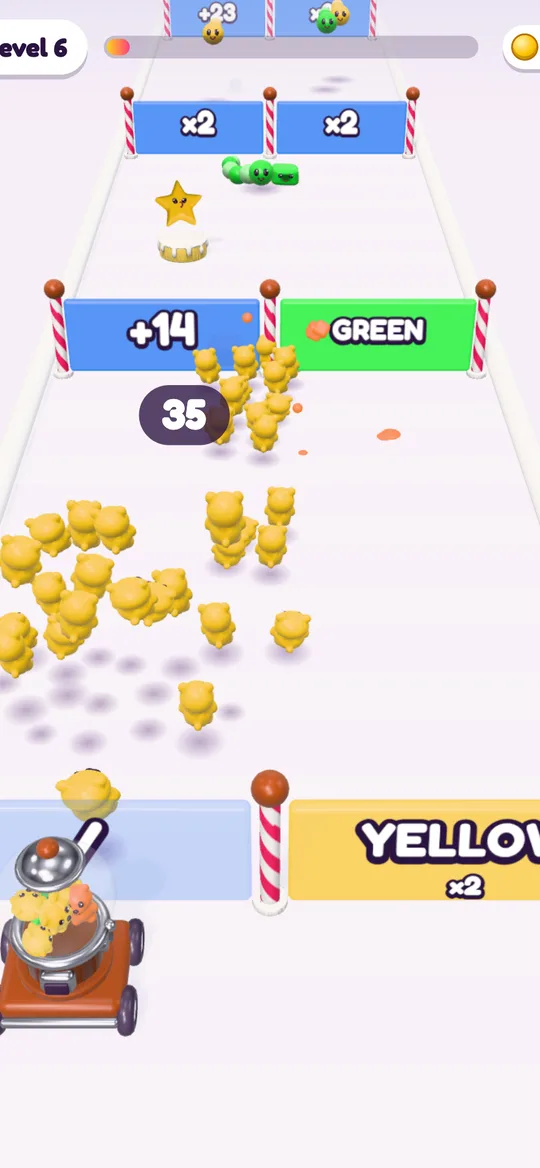
Each choice on the road is a sideways slide. Pick the gate that grows your crowd, or switch colour when it helps: bears that match the colour of an enemy or a castle block hit three times harder. Our colour gates guide explains when each gate is worth taking.
Making one-hand play more comfortable
A few small habits help with any one-hand game, and they work well in Gummy Mob too.
- Rest your thumb low. Since steering is relative, start each level with your thumb in the bottom third of the screen. Your grip stays steady and the road ahead stays visible.
- Use small slides. Short, calm movements are easier with one hand than big sweeps across the screen. You only need to move the launcher a little to switch gates.
- Keep a light hold. Lifting your thumb stops the firing, but the road keeps moving. If you need to regrip, do it quickly and touch down again.
- Turn the sound off when you need to. The Settings card has a Sound switch, handy in a quiet waiting room.
- Save tricky levels for later. HARD levels arrive every 5th level and a boss every 10th. If the Candy Road map shows one next, it may be worth playing with both hands on the sofa.
Short sessions and one-hand play go together. Our guide to crowd runner games for short sessions covers how to play a single level and stop cleanly, and the offline crowd runner guide helps when there is no signal.
A note for parents
One-hand games are often the ones children pick up most easily, because there is only one thing to learn. If your child plays, it is worth checking what else the game does besides the controls: ads, purchases and data. Gummy Mob has no in-app purchases, no chat and no accounts, and our page on whether Gummy Mob is safe for kids explains how ads and privacy work for younger players.
FAQ
What makes a game playable with one hand?
It runs in portrait mode, uses a single kind of input such as tap, hold or drag, lets your thumb work anywhere on the screen, gives you time to react, and lets you pause or stop quickly.
Are crowd runner games good for one-handed play?
Yes, usually. The crowd moves forward on its own and you only steer, so one thumb sliding left and right is enough to play a whole level.
Can you play Gummy Mob with one hand?
Yes. You hold anywhere on the screen to fire gummy bears and drag left or right to steer. The Android app stays in portrait, so the whole level works with one thumb.
Does Gummy Mob work for left-handed players?
Steering in Gummy Mob follows how far your thumb moves from where you first touched, not a fixed button, so you can play with either thumb from either side of the screen.
Which game genres are hard to play with one hand?
Games with two virtual sticks, racing games that need you to tilt the phone, landscape games and anything with multi-finger gestures usually need both hands.